All guides

Fix it

Why your reels get no reach: 7 settings to checkWhy your reels get no reachWhy reels get no reach

By Lika L., team lead at Organic Growth · 3 min read
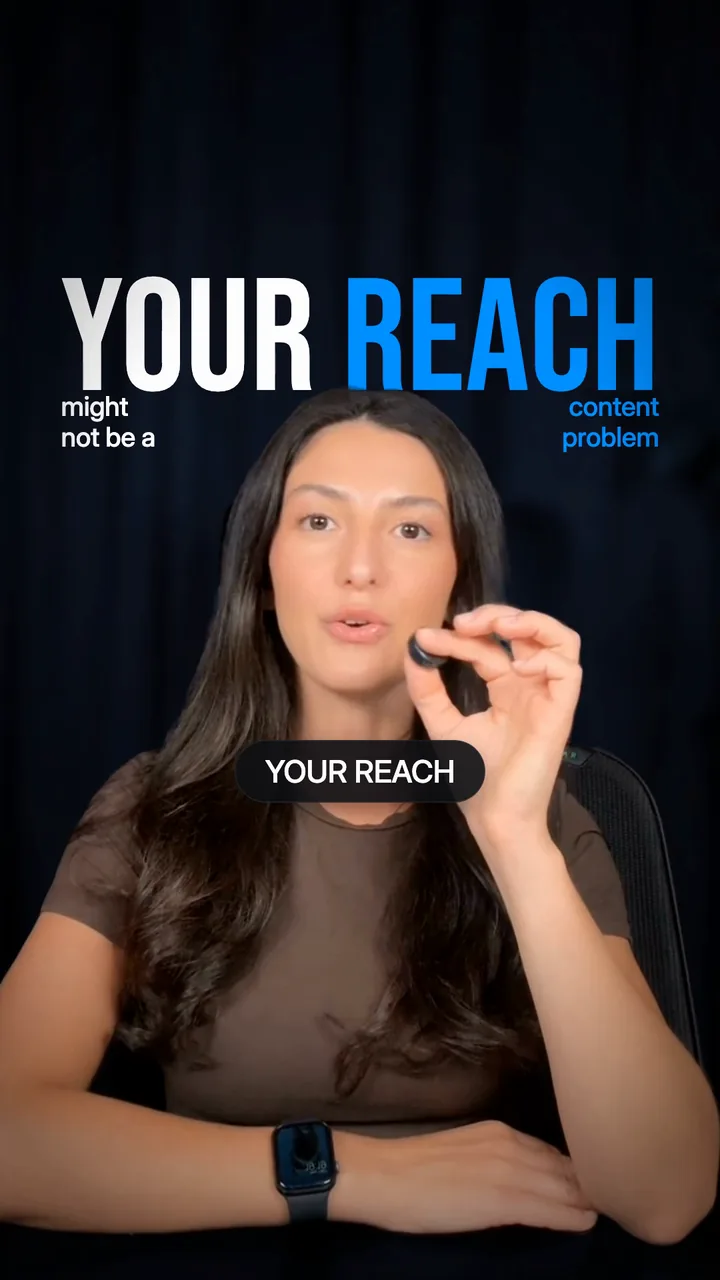
The reel, 25 secondsLika shows checks 1, 3 and 4.
When your reels get no reach, check your settings before you change your content. Instagram first checks that it can show your account and your reel to people who do not follow you1. Then it tests the reel on a small group of them2. Run these 7 checks before your next reel.
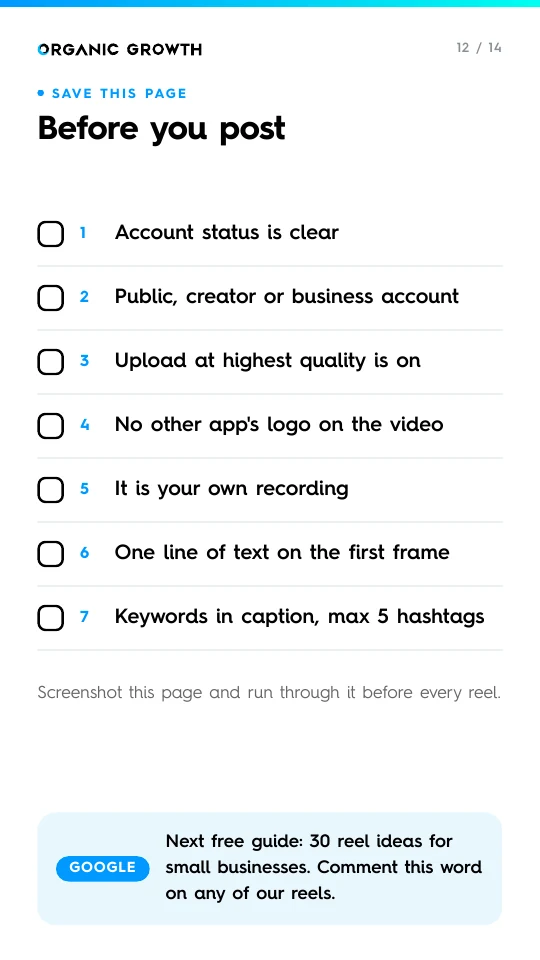
Free PDF: The Reach ChecklistThe Reach ChecklistAll 7 checks on one page, to keep on your phone.Free PDF, all 7 checks.

How a reel finds new people

1EligibleInstagram checks that it can recommend your account and your reel1.
2TestedIt shows the reel to a small group of people who do not follow you2.
3WidenedIf they watch, like and send it, Instagram shows it to more people.
Checks 1 to 5 keep you eligible. Checks 6 and 7 help you win the test.

The 7 checks, in order

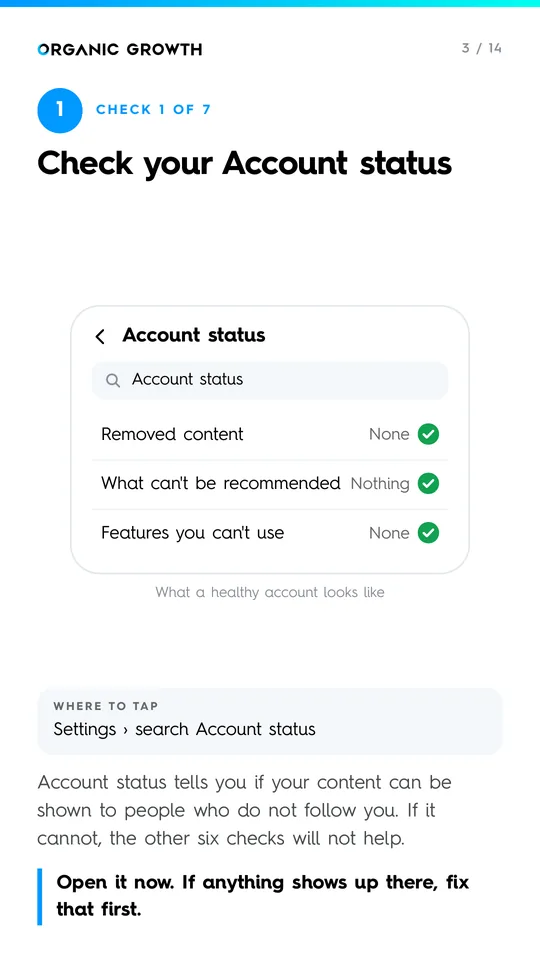
1Make sure Instagram can recommend youCheck Account status

Settings › search Account statusSettings › Account status
Account status tells you if Instagram can show your content to people who do not follow you3. If it cannot, the other 6 checks will not help.
Open it now. If anything shows up there, fix that first.

2Keep your account public and professionalPublic and professional

Settings › Account privacy, then Account type and toolsSettings › Account privacy
Instagram can recommend public accounts only1. A creator or business account also gives you Insights, where you see what works.
Private account off. Creator account on.

3Upload at highest qualityUpload at highest quality

Settings › search quality › Upload at highest qualitySettings › Media quality
With it off, Instagram may upload a lower quality version to save time. A blurry reel looks cheap, and people scroll past it.
Turn it on once. It stays on.

4No logos from other appsNo logos from other apps

The corners of your video, before you postThe corners of your video
Instagram does not recommend reels with another app's watermark on them15. Even one logo in a corner counts.
Export a clean file from your editor.

5Post your own videosPost your own videos

Your posts from the last 30 daysYour posts, last 30 days
Accounts that mostly repost other people's videos lose recommendations4. Credit lines and borders do not make a repost original.
Film your own version of an idea, in your own words.

6Put one line of text on the first frameText on the first frame

The first second of your reelThe first second of your reel
Instagram's own Reels guide says an opening line of text can be as strong as a thumbnail6.
Say what the viewer gets. 8 words max.

7Five hashtags, keywords in the captionFive hashtags at most

The first line of your captionThe first line of your caption
Instagram now allows 5 hashtags at most7. The words people search for belong in your caption, where Instagram reads them.
Start the caption with what people type in search.

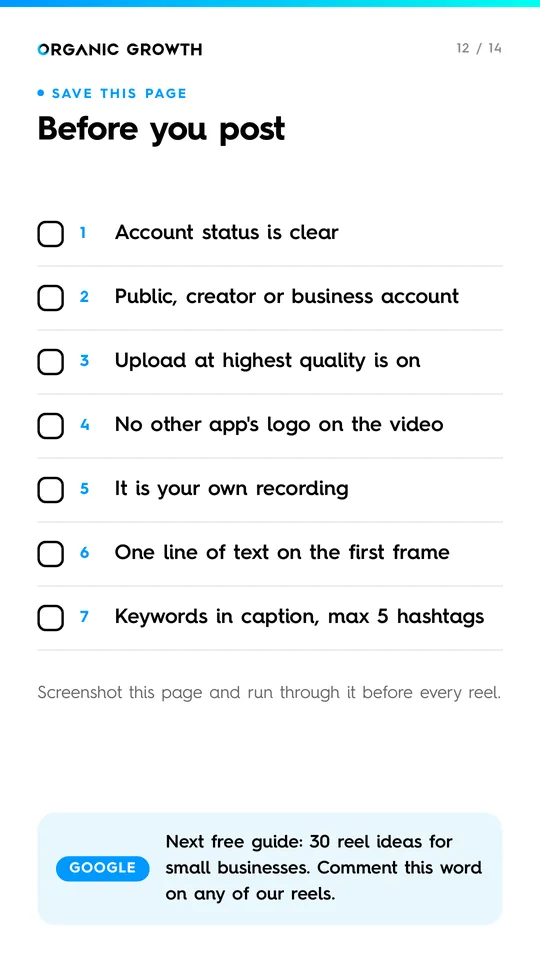
Before you post

0 of 7 done

Your ticks stay on this device.
Page 12 of The Reach Checklist: the seven checks as one list to tick before you post
Page 12 of the free PDF

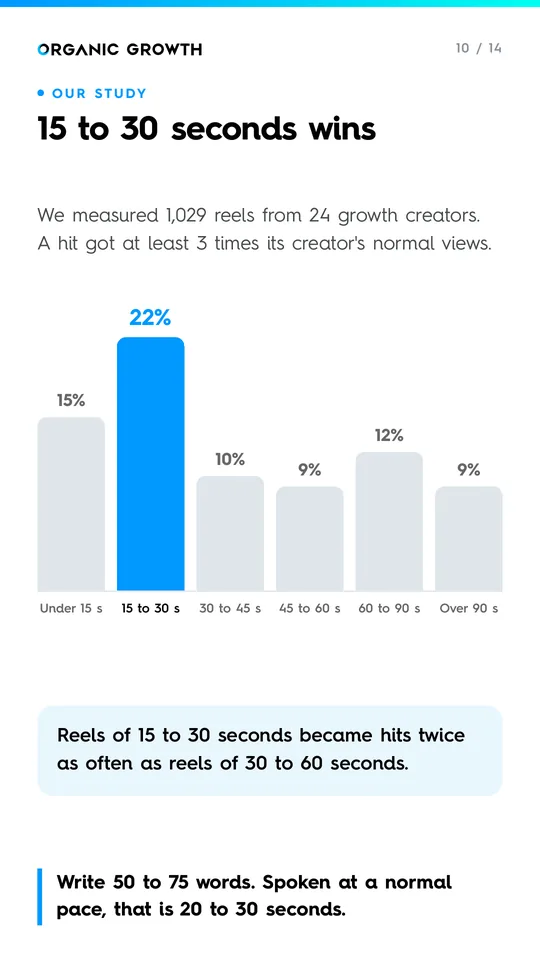
15 to 30 seconds wins

We measured 1,029 reels from 24 Instagram growth creators8. A hit is a reel that got at least 3 times its creator's normal views. Reels of 15 to 30 seconds became hits twice as often as reels of 30 to 60 seconds.
Write 50 to 75 words. Spoken at a normal pace, that is 20 to 30 seconds.

A real account we grew

This is check 5 in real life.
Derek's HVAC company, growth only

Case study

Derek's HVAC company, growth only

Derek makes his own reels and posts while we run the growth: +488 followers in the month.

DmitryVideo

Questions

Check if Instagram can recommend you. Open Account status: it lists what Instagram will not show to people who do not follow you3.

Yes. Instagram can recommend public accounts only, so a private one reaches only its followers1.

5 at most: Instagram set that limit on 18 December 20257.

In our own study, reels of 15 to 30 seconds became hits most often8: that is 50 to 75 spoken words.

Sources

  1. Instagram for Creators: recommendations eligibility and tips (30 August 2022, updated 25 April 2023), read 1 October 2026
  2. Instagram for Creators: helping creators of all sizes break through (page dated 26 February 2025), read 1 October 2026
  3. Instagram for Creators: recommendations and originality (30 April 2024), read 1 October 2026
  4. Instagram for Creators: rewarding original creators (30 April 2026), read 1 October 2026
  5. Instagram: Instagram ranking explained (31 May 2023), read 1 October 2026
  6. Instagram: how to make Reels (2026 guide), read 1 October 2026
  7. Instagram @creators on Threads, 18 December 2025: up to 5 hashtags on a post or reel, read 3 October 2026
  8. Our own study of 3,431 reels from 55 creators. The length figures come from 1,029 reels by 24 Instagram growth creators, measured 1 October 2026
Lika L., team lead at Organic GrowthShort reels with one fix each, from a team that grows Instagram accounts every day.

Free guide

Get the free Reach Checklist.The free Reach Checklist.

7 things to check before your next reel.From our own study of 3,431 reels.

Sent.

Sent. Check your inbox.Not there in a minute? Look in spam.

One email with the PDF. Nothing else.

Check your inbox. Not there in a minute? Look in spam.

Read next